5 free calculators for splitting costs with friends
Free calculators for who owes who, trip costs, fuel, rentals by nights and restaurant bills with tip. No account, nothing to install, with worked examples.
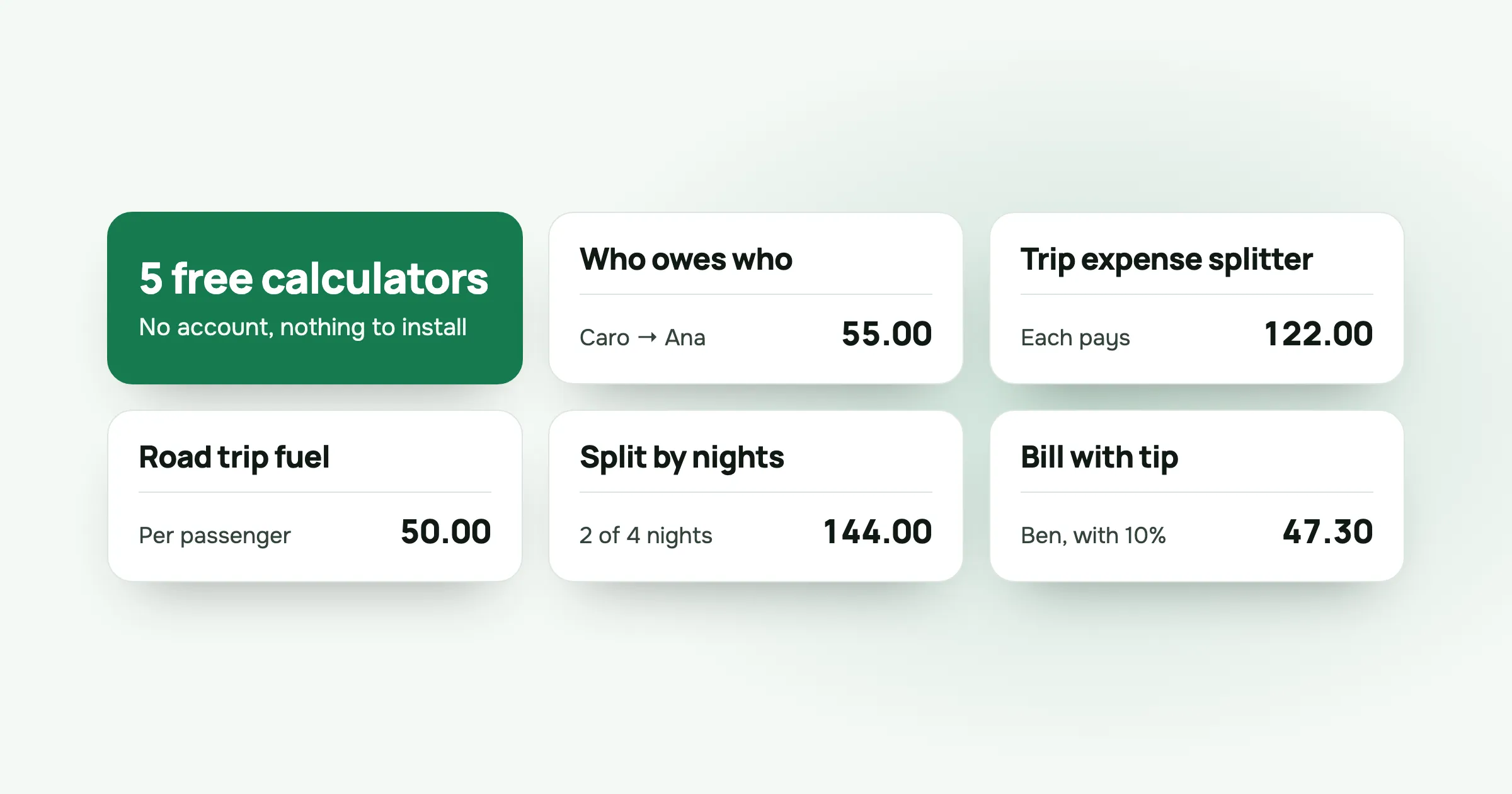
Sometimes you don’t need an app, an account or a group. You need one sum worked out before the waiter comes back, or before someone pays the Airbnb deposit.
So split-cash now has five free calculators. They run in your browser, need no account, and send nothing anywhere. Each one does one job, shows its working, and gives an answer you can paste into the group chat.
1. Who owes who calculator
Use it when a few people paid different amounts for things everyone shared, and you want to settle up.
Type each person’s name and how much they paid. The calculator splits the total equally and lists the fewest transfers.
Say Ana paid 120.00, Ben paid 45.00 and Caro paid nothing. The total is 165.00, so each share is 55.00. Ana is owed 65.00, Ben owes 10.00 and Caro owes 55.00. Two transfers settle it: Caro sends Ana 55.00, and Ben sends Ana 10.00.
Open the who owes who calculator. The method behind it is in how to settle group debts with the fewest payments.
2. Trip expense splitter
Use it when a trip had several costs, paid by different people, and not everyone shared every cost.
Add each expense with what it was, how much, who paid and who shared it. You get each person’s balance and the transfers that settle the whole trip.
For a weekend in Lisbon: Ana paid 240.00 for the flat, Ben paid 90.00 for dinner and Caro paid 36.00 for the airport taxi, all shared by the three of them. That’s 366.00, or 122.00 each. Caro sends Ana 86.00 and Ben sends Ana 32.00.
Open the trip expense splitter. For the habits that keep a trip’s costs straight, see how to split trip costs with friends.
3. Road trip fuel cost calculator
Use it when you’re driving somewhere together and want to know what the fuel and tolls come to per person.
Enter the distance, the car’s consumption, the fuel price and any tolls or parking. Then choose whether the driver pays a full share, half a share or nothing. It works in kilometres and litres, or in miles and US miles per gallon.
Four friends drive 900 km in a car that uses 7 litres per 100 km, with fuel at 1.80 a litre and 36.60 in tolls. That’s 150.00 in total. If the driver brings the car and pays nothing, each passenger pays 50.00. If the driver pays half a share, the passengers pay about 42.86 each and the driver about 21.43.
Open the fuel cost calculator. The three fair rules are in how to split gas and tolls on a road trip.
4. Split a rental by nights
Use it when people stayed a different number of nights in the same house, flat or hotel room.
Enter the total cost and each person’s nights. The calculator counts person-nights, works out the rate per night and gives each person’s amount, adding up to the total to the cent.
A house costs 1,440.00 for four nights. Four friends stay all four nights and two arrive late and stay two. That’s 20 person-nights at 72.00 each. The four pay 288.00 each and the two pay 144.00 each.
Open the split by nights calculator. Rooms of different sizes are covered in how to split an Airbnb with friends.
5. Restaurant bill splitter with tip
Use it when everyone ordered different things and splitting equally would be unfair.
Enter what each person had, the total of any shared dishes and the tip percentage. Each person pays their own dishes, an equal part of the shared ones and a tip in proportion to what they had.
Four friends had 32.00, 38.00, 17.00 and 23.00 of their own food and drinks, shared a 20.00 starter and left 10%. They pay 40.70, 47.30, 24.20 and 30.80, which adds up to the 143.00 on the bill.
Open the bill splitter. There’s more on starters, service charges and the odd cent in how to split a restaurant bill.
When a calculator isn’t enough
A calculator is good for one sum. It forgets everything when you close the page, and only the person holding the phone can use it.
For anything that runs over several days, like a trip, a festival or a season of five-a-side, a split-cash group works better:
- Everyone adds what they pay from their own phone, as it happens.
- Each cost can be split equally, by amounts, by percent or by shares, and anyone who wasn’t there can be left out.
- Settle up shows the fewest transfers, and each one can be marked as paid, even in parts.
It’s free too, with no ads and no limit on how many costs you add.
Questions people ask
Is there a free calculator for who owes who? Yes. The who owes who calculator on split-cash takes what each person paid, splits the total equally and lists the fewest transfers to settle up. It’s free and needs no account.
How do you calculate trip costs per person? List every cost with who paid it and who shared it, then add up each person’s shares and subtract what they paid. The trip expense splitter does this and shows who pays whom at the end.
Do the calculators save my data? No. They run in your browser and nothing is sent anywhere. If you want to keep the numbers or let friends add their own costs, make a free group in split-cash instead.
When should I use the app instead of a calculator? Use a calculator for a quick one-off sum. Use a split-cash group when several people pay over days, when friends should add their own costs, or when you want to mark payments as paid.
Want to keep the numbers? Make a group in split-cash and send the link to your friends. It’s free, with no ads.
 Sabir Shaykhlislamov Built split-cash