A free Splitwise alternative with no ads and no daily limits
Looking for a free Splitwise alternative? split-cash splits trip, flat and dinner costs with friends, settles up in the fewest transfers, and has no ads, no paid plan and no daily limits.
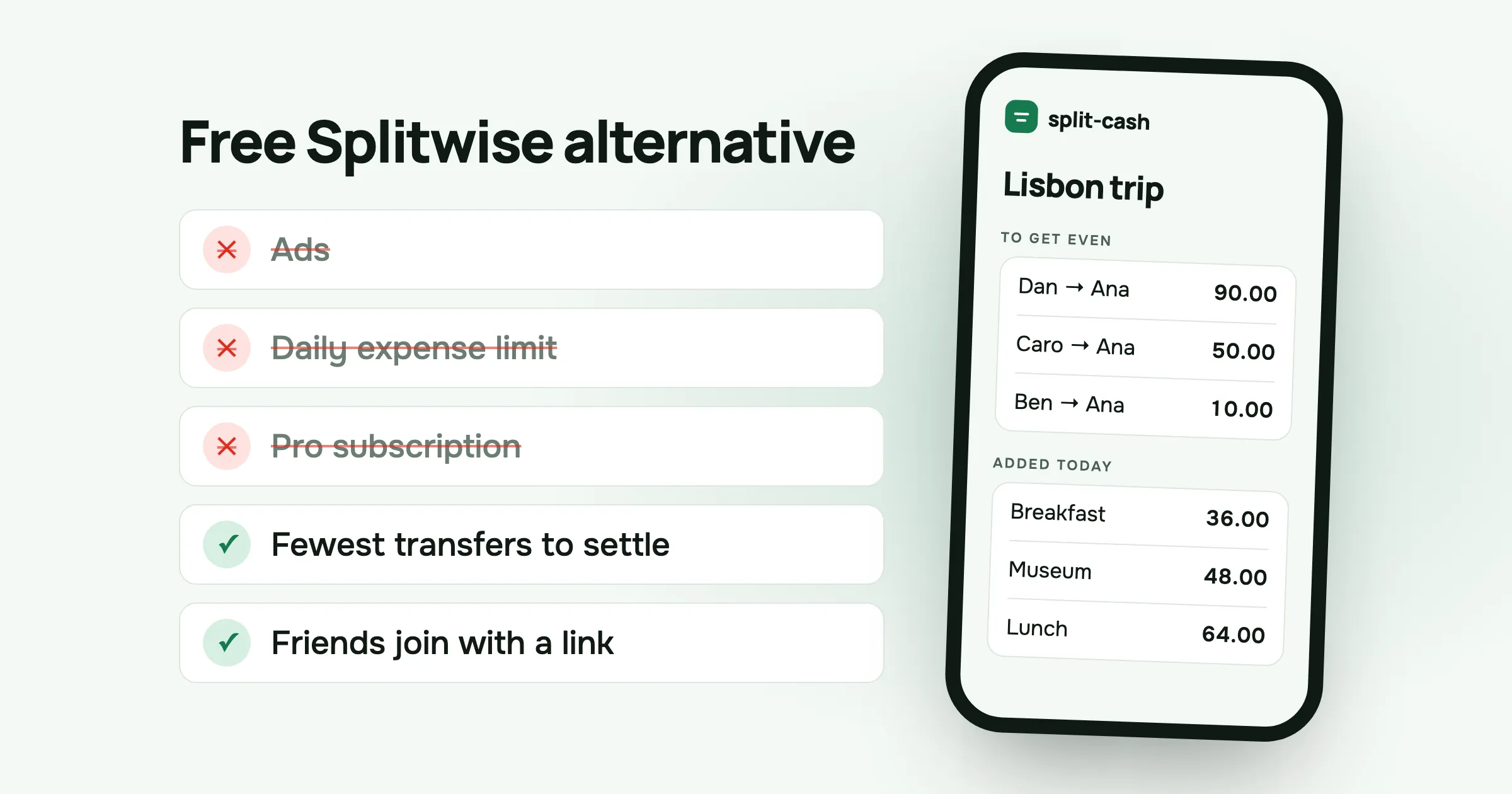
If you split costs with friends, you have probably used Splitwise. It does the job, and for years it was the default answer to “who owes what after the trip”. Lately a lot of people have started looking for a free Splitwise alternative, and I was one of them.
This post covers why people switch, what a bill splitting app actually needs to do, and how split-cash handles it. I built split-cash, so I’m biased. I’ve tried to be specific about what it does and doesn’t do, so you can decide for yourself.
Why people look for a Splitwise alternative
The complaints I hear most are the same ones I had.
Ads and upgrade prompts. The free version shows ads and asks you to upgrade to Pro. When you’re standing at a taxi rank trying to log a fare, another screen to close is the last thing you want.
Limits on the free plan. In 2023 Splitwise started limiting how many expenses free users can add each day. On a busy trip day, with breakfast, a museum, lunch, a taxi and dinner, you can hit that limit before the evening.
Features moving behind a paywall. Things like receipt scanning and charts sit in the paid plan. That’s a fair business decision, but if you only want to split a bill with three friends, a subscription feels like a lot.
None of this makes Splitwise a bad app. It makes it an app built to earn money from the people who use it, and that shapes every screen. If you want a bill splitting app that only splits bills, you have other options.
What a free bill splitting app needs to do
Before comparing apps, it helps to write down the job. For most groups of friends, it comes down to six things.
- Record who paid for what, quickly. On a trip, costs come in all day. Adding one should take a few seconds, from any phone in the group.
- Split unevenly when the bill is uneven. Someone had the wine, someone skipped dinner, someone joined only for the last day. Equal splits are the default, not the rule.
- Turn many small debts into a few transfers. After a weekend, four friends can owe each other in a dozen directions. Nobody wants to send small change to three people.
- Work for friends who haven’t installed anything. The person who downloads the app is rarely the problem. The friend who never does is.
- Keep the group’s numbers private. A list of who paid for what is personal. Only the people in the group should see it.
- Stay out of the way. No ads, no upgrade screens, no limit on how many costs you can add in a day.
Any free Splitwise alternative worth switching to should handle all six. Here is how split-cash does it.
How split-cash handles each one
Adding a cost
Open the group, tap “Add expense”, type what it was and how much. split-cash fills in today’s date, assumes you paid and splits it equally between everyone in the group. If that’s right, you save and you’re done. If not, change who paid or how it’s split before saving.
Everyone in the group can add costs from their own phone, and the balances update for everyone. You can attach a photo of the receipt if you want a record, and tapping it opens the photo full screen so you can zoom in on the small print.
Splitting an uneven bill
split-cash has four ways to split: equally, by exact amounts, by percentages and by shares. You can also untick anyone who wasn’t there.
Shares are the one people end up using most. Say a dinner costs 120.00. Ana had the wine, so she takes two shares. Ben and Caro take one share each. Dan never showed up, so you untick him. split-cash works out that Ana pays 60.00 and Ben and Caro pay 30.00 each, and it shows that the total adds up to 120.00 before you save. Amounts are always worked out to the cent, so there’s never a stray 0.01 left over.
Settling up in the fewest transfers
This is the part that saves the most time. Take a weekend in Lisbon with four friends:
- Ana paid 240.00 for the flat.
- Ben paid 80.00 for dinner.
- Caro paid 40.00 for the taxi.
- Everything is split four ways, so each person’s share is 90.00.
If everyone paid back each cost separately, that’s nine transfers: three people owe Ana for the flat, three owe Ben for dinner, and three owe Caro for the taxi. Some of them cancel each other out. Ana owes Ben 20.00 while Ben owes Ana 60.00.
split-cash adds up what each person paid and what each person owes, and works out the net balance. Ana is owed 150.00. Ben owes 10.00, Caro owes 50.00 and Dan owes 90.00. So it suggests three transfers, all to Ana: Dan sends 90.00, Caro sends 50.00 and Ben sends 10.00. Each person ends up paying exactly their 90.00 share, and nobody has to chase anyone for 20.00.
When a transfer is made, you mark it as paid and the balances update for the whole group. split-cash doesn’t move money itself. You pay each other the way you already do, by bank transfer or with whatever app your group uses.
Friends who haven’t signed up
You can add people to a group by name before they have an account. Record their costs as usual. When they open the invite link and sign up, everything recorded under that name becomes theirs. You don’t have to wait for the whole group to install something before the trip starts.
There’s also nothing to install. split-cash runs in the phone’s browser. If you want it on your home screen, add it from the browser menu and it opens like any other app. It works on iPhone, Android and desktop, in English and Russian.
Privacy
Groups are private. Only the people in a group can see it, and an invite link is the only way in. If a link ends up somewhere it shouldn’t, you can make a new one and the old link stops working. split-cash doesn’t show ads, so there’s no ad network reading your data. The privacy policy lists everything that’s stored.
No ads, no paid plan, no daily limit
split-cash is free and will stay free. There’s no Pro version, no ads and no cap on groups or expenses. I wrote about the reasons in why I built split-cash. The short version: hosting costs me about five dollars a month, and more people using it barely changes that, so there’s nothing to charge for.
Setting up your first trip
Here is the whole process, start to finish.
- Create an account. Name, email and a password. That’s all split-cash asks for.
- Make a group. Call it “Lisbon trip” or “Flat 12” and pick the currency. Each group has one currency, and totals stay in it.
- Invite your friends. Copy the invite link and send it to the group chat. Add anyone who’s slow to sign up by name.
- Add costs as they happen. Whoever pays adds it, from their own phone.
- Settle up at the end. Open Balances, make the suggested transfers and mark each one as paid. When everyone is at zero, split-cash says so.
For a shared flat, skip step five and settle whenever the balance drifts too far, say once a month. For a running tab with one friend, you don’t need a group at all. Add them as a friend and keep a balance between the two of you.
What split-cash doesn’t do
A fair comparison has to include this part. If any of these matter to you, split-cash may not be the right fit.
- No currency conversion. Each group has one currency. If your trip mixes euros and pounds, you’ll need to convert the odd cost yourself or keep a group per currency.
- No receipt scanning. You can attach a photo of a receipt, but split-cash doesn’t read the items off it.
- No bank connection or payments. It tells you who to pay. It doesn’t send the money.
- No native app. It’s a web app you can add to your home screen. For most people that works the same, but it isn’t in the App Store.
- Two languages. English and Russian, for now.
- No import from Splitwise. See the next section for the simplest way to move over.
Moving from Splitwise to split-cash
The cleanest switch is to start new trips and groups in split-cash and let old ones finish where they are. Settle up the open balances in Splitwise first, then start fresh.
If you’d rather carry a balance over, add one expense in split-cash that recreates it. For example, if Ben still owes you 45.00 from an old trip, add a 45.00 expense that you paid and split it by exact amounts with all of it on Ben. His balance shows 45.00 owed to you, and the history from that point on lives in split-cash.
Other free options
split-cash isn’t the only free Splitwise alternative, and it’s worth knowing the others.
- Spliit is a free, open-source app you can use on its website or host yourself.
- Tricount is free and popular in Europe. It belongs to the bank bunq.
- A shared spreadsheet works for a small group that likes spreadsheets. You’ll do the settle-up maths yourself.
Try the one that fits your group. If you want something that splits costs, settles up in the fewest transfers and never asks you to upgrade, create a free split-cash account and make your first group. It takes about a minute.
Questions people ask
Is split-cash really free? Yes. There are no ads, no paid plan and no limits on groups or expenses. Hosting costs about five dollars a month, which I pay.
Do my friends need to install an app? No. They open the invite link in their phone’s browser and create an account. They can add split-cash to the home screen so it opens like an app.
Can I add a friend who hasn’t signed up? Yes. Add them to the group by name and record their costs. When they join through the invite link, everything recorded under that name becomes theirs.
Does split-cash work on iPhone and Android? Yes. It runs in any modern browser on iPhone, Android and desktop, in English and Russian.
Does split-cash move money? No. It works out who owes whom. You pay each other the way you usually do, then mark each transfer as paid.
 Sabir Shaykhlislamov Built split-cash