Shared expenses: spreadsheet or app? A simple Google Sheets setup and when to switch
Track shared expenses in Google Sheets or Excel with a simple who-owes-who setup, see where spreadsheets break, and when an app is easier.
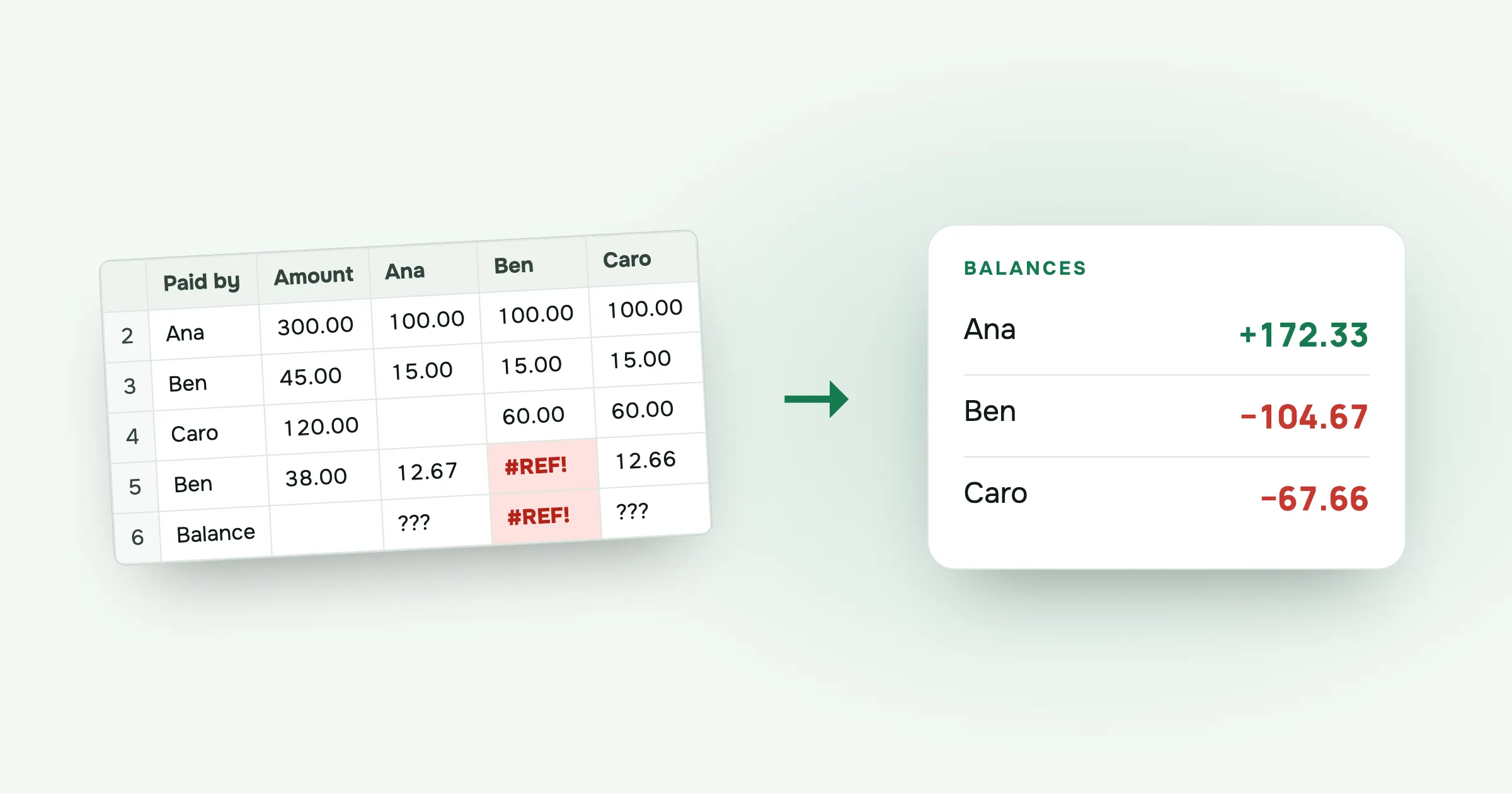
Every group has one person who says “I’ll put it in a spreadsheet”. Sometimes that works well. Sometimes, three days into the trip, the sheet has four versions, two people can’t edit it on their phones, and nobody trusts the totals.
Here’s how to set up a shared-expenses spreadsheet that works, where spreadsheets tend to break, and when an app is less work.
A who-owes-who sheet
You need one row per expense and one column per person. For three friends, Ana, Ben and Caro, it looks like this:
| Date | Description | Paid by | Amount | Ana | Ben | Caro |
|---|---|---|---|---|---|---|
| 3 Jun | Flat | Ana | 300.00 | 100.00 | 100.00 | 100.00 |
| 3 Jun | Groceries | Ben | 45.00 | 15.00 | 15.00 | 15.00 |
| 4 Jun | Boat trip | Caro | 120.00 | 60.00 | 60.00 |
The person columns hold each person’s share of that expense. For an equal split between all three, the formula in Ana’s column of row 2 is:
=$D2/3
Ana skipped the boat trip, so her cell in row 4 is empty and Ben and Caro each get =$D4/2.
The balance formulas
Below the expenses, add a balance row. For Ana, it’s what she paid minus all her shares:
=SUMIF($C$2:$C$100, "Ana", $D$2:$D$100) - SUM(E2:E100)
Do the same for Ben and Caro, changing the name and the column. In the example:
- Ana paid 300.00 and her shares are 115.00, so she’s at +185.00
- Ben paid 45.00 and his shares are 175.00, so he’s at −130.00
- Caro paid 120.00 and her shares are 175.00, so she’s at −55.00
The balances add up to zero. If they don’t, the shares in some row don’t add up to its amount.
To settle, the people below zero pay the people above it. Here Ben sends Ana 130.00 and Caro sends Ana 55.00. With more people, use the method in how to settle group debts with the fewest payments.
Where spreadsheets break
The sheet above works for a weekend with three people. It starts to hurt when:
People add costs from their phones. Editing a spreadsheet on a phone at a ticket machine is slow, so people put it off. The costs that get put off are the ones that get lost.
Splits get uneven. Shares, percentages and leaving someone out all mean hand-written formulas per row. One wrong cell reference and a balance is off by 40.00, and nobody notices until the end.
Someone edits the wrong row. Sorting one column without the others scrambles the sheet, and few friends will dig through version history to find out what happened.
Settling with more than three people. Working out the fewest transfers by hand for six people is a puzzle most groups don’t want on the last night of a trip.
Not everyone can open it. Someone isn’t signed in, someone gets “request access”, someone joined the trip halfway through.
When an app is easier
An app does the same job as the sheet, but each person adds costs from their own phone, picks who shares them, and sees their balance update. At the end, it works out who pays whom.
split-cash does this for free, with no ads and no limit on expenses. Splits can be equal, by exact amounts, by percent or by shares, and you can leave out anyone who wasn’t there. The Settle up screen gives the transfers.
You don’t have to give up the spreadsheet. Every split-cash group exports to CSV: every expense and payment, each person’s share in their own column, and the balances at the bottom. The file opens in Excel, Numbers or Google Sheets in the same shape as the sheet above. Use the app during the trip and the spreadsheet afterwards, if you like spreadsheets.
Which to choose
- A spreadsheet if it’s two or three people, mostly equal splits, and someone enjoys keeping it.
- An app for trips, groups of four or more, uneven splits, or friends who’d rather add costs on their phone than open a sheet.
Questions people ask
Can you use Google Sheets to split expenses? Yes. Put one row per expense with who paid and the amount, add a column per person for their share, and calculate each balance as what they paid minus their shares. It works well for small groups that like spreadsheets.
Is an app better than a spreadsheet for shared expenses? For trips and larger groups, usually. An app lets everyone add costs from their phone, handles uneven splits without formulas, and tells you who pays whom at the end. A spreadsheet is fine for a few people who meet at a computer.
How do you make a who-owes-who spreadsheet? List the expenses with the payer and amount, add each person’s share per row, then for each person subtract the sum of their shares from what they paid. Positive means they’re owed money, negative means they owe.
Can you export shared expenses from an app to Excel? In split-cash, yes. Each group exports to a CSV file with every expense and payment, each person’s share and their balance, which opens in Excel, Numbers or Google Sheets.
Tired of fixing formulas? Make a group in split-cash and export to a spreadsheet whenever you want. It’s free, with no ads.
 Sabir Shaykhlislamov Built split-cash